

Easy Designer
How to Order
- Enter Qty for first item
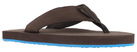
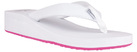
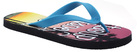
- Choose Style
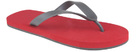
- Choose Upper, Sole, and Strap colors
- Enter your Sand Imprint Text for left and right feet. For best sand imprint, keep each foot to 12 or fewer characters including spaces. Insert symbols by clicking the + button next to each foot or use the Browse Symbol Library button below.
- Pricing will automatically update based on quantity ordered.
- To add an additional pair with the same design in another size, click Copy Last Line button to duplicate the last line item. Then you can modify size on the new line.
- Your Sand Imprint Text is already filled in from the designs you made. Leave it as it is, or edit any line you want to change.
- Choose Style and Size for each pair — neither was part of the design step.
- Choose Upper, Sole, and Strap colors
- Enter Qty for each pair.
- Pricing will automatically update based on quantity ordered.
- To add an additional pair with the same design in another size, click Copy Last Line button to duplicate the last line item. Then you can modify size on the new line.
| Qty | Style | Size | Colors | Preview | Sand Imprint | Unit $ | Ext. $ |
|---|
Print add-ons require minimum 50 pairs per style
| Qty | Bag | Design | Unit $ | Ext. $ |
|---|
| Qty | Bag | Design | Unit $ | Ext. $ |
|---|
Order Total:
$0.00
